
If your Black and Decker coffee maker is not working, don’t panic. Most issues involve simple power, cleaning, or maintenance tasks that you can fix at home. This guide helps you diagnose common problems and get your morning coffee flowing again quickly.
There is nothing quite like the smell of fresh coffee to start your morning. When you walk into the kitchen, press that button, and realize your Black and Decker coffee maker not working, it can ruin your entire day.
We rely on these machines to kickstart our productivity, but like all kitchen appliances, they can run into snags. Whether it is a machine that refuses to turn on or one that leaves your counter covered in puddles, troubleshooting is usually simpler than you might think.
As we move through 2026, technology in kitchen appliances has remained reliable but still requires basic care. Most of the time, when a Black and Decker coffee maker not working, it is due to a simple clog or a loose connection.
You do not need to be a professional electrician to get back to brewing your favorite roast. This guide will walk you through the most common scenarios and provide you with actionable steps to fix the problem yourself.
Key Takeaways
- Power Check: Always verify your outlet and cord before assuming the machine is broken.
- Descaling is Vital: Mineral buildup is the most common reason for slow or lukewarm brewing.
- Safety First: Never submerge the electrical base in water or attempt to rewire internal components.
- Proper Assembly: Ensure the brew basket and carafe are seated correctly to prevent leaking.
- Warranty Check: Always verify your model’s warranty status before attempting complex DIY repairs.
Checking the Power and Basic Connectivity
Before diving into the internal mechanics of your coffee maker, we must look at the power source. Often, we assume the machine has died, when in reality, the issue is external. If you find your Black and Decker coffee maker not working, the first step is to confirm it is actually getting electricity.
Testing the Outlet
Start by plugging another small appliance, like a toaster or a phone charger, into the same wall outlet. If that device doesn’t work, you have a tripped circuit breaker or a dead outlet. Check your home’s electrical panel to see if a switch has flipped. Resetting a breaker can save you from replacing a perfectly good coffee machine.
Inspecting the Power Cord
Examine the power cord for any signs of fraying or damage. If you have pets or heavy furniture that may have pinched the cord, you might have a short circuit. If the cord looks perfectly fine, try unplugging the machine for ten minutes to perform a “hard reset.” This simple trick often clears minor software glitches in modern digital display models.
Troubleshooting Brewing Issues
Perhaps the machine turns on, but the coffee simply won’t brew. This is a very common issue that leaves many owners frustrated. When a Black and Decker coffee maker not working during the brew cycle, it is usually because the internal water path is blocked by mineral deposits.

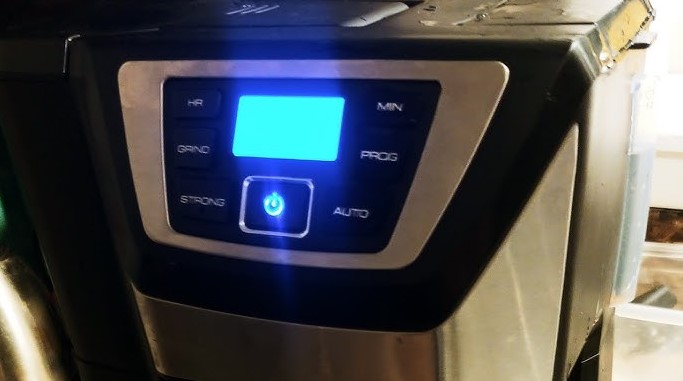
Visual guide about Black and Decker Coffee Maker Not Working
Image source: m.media-amazon.com
The Problem with Limescale
Water contains minerals like calcium and magnesium. Over time, these minerals build up inside the heating element and tubing. This process is called scaling. If the scale becomes too thick, the water cannot pass through, and the machine will stop mid-cycle or make loud, sputtering noises. Descaling your machine with a mixture of white vinegar and water is the gold standard for fixing this.
Checking the Brew Basket
Sometimes the issue is physical. If the brew basket is not snapped into place correctly, the drip mechanism will not engage. Check to ensure the filter basket is clean and free of old grounds. If the machine is overflowing, you may be using too much coffee or a filter that is too fine. Always ensure the carafe is pushed firmly against the drip-stop mechanism.
Addressing Leaking and Drip Issues
A puddle on your counter is never a good sign, but it is rarely the end of your coffee maker. If your Black and Decker coffee maker not working because it is leaking, focus on the removable parts. Most leaks are caused by simple misalignment.
Carafe Positioning
The carafe acts as a pressure release for the brew basket. If it is not placed perfectly on the warming plate, the valve won’t open. This causes the water to back up and overflow from the top of the basket, leading to leaks. Always double-check that the carafe is centered.
Rubber Seal Wear
If you have had your machine for several years, the rubber gaskets or seals around the internal reservoir might have dried out or cracked. If you see water dripping from underneath the base of the unit, this is a clear sign that a seal has failed. While you can sometimes source replacement seals, it is often a sign that it is time for a new machine.
Temperature and Taste Problems
Maybe your machine brews, but the coffee is tepid or tastes like burnt plastic. If your Black and Decker coffee maker not working up to your taste standards, it is time to look at maintenance and water quality. Lukewarm coffee is almost always a result of scale buildup insulating the heating element.
Improving Coffee Temperature
If the coffee isn’t hot enough, perform a deep descaling. You can also improve results by pre-warming your carafe with hot tap water before you start the brew cycle. This prevents the cold glass from absorbing the heat from your fresh coffee as it pours.
Addressing Strange Tastes
If your coffee tastes metallic or like chemicals, you likely have old residue trapped in the system. Run a cycle with just plain water, or better yet, a specialized coffee machine cleaning solution. Do not use dish soap inside the reservoir, as it is nearly impossible to rinse out completely and will ruin the flavor of every cup that follows.
Understanding Error Codes on Digital Models
In 2026, many of our appliances have digital interfaces. If your Black and Decker coffee maker not working and you see letters or numbers flashing on the screen, your machine is trying to talk to you. These codes are diagnostic tools designed to help you resolve the issue quickly.
Consulting the Manual
Every digital coffee maker has a specific list of error codes. If the display is flashing “Err,” “E1,” or “E2,” check your manual immediately. Usually, these codes signify a sensor failure or a thermal fuse issue. If the thermal fuse has blown, it is a safety feature meant to prevent the machine from overheating. Replacing this part is possible, but it requires opening the unit, so proceed with caution.
Resetting Digital Displays
If the screen is blank even when plugged in, the internal display board may have failed. Sometimes, just leaving the machine unplugged for a full hour allows the capacitors to discharge, which resets the digital controller. If the display remains unresponsive after a reset, you may need a professional repair or a replacement unit.
When to Replace vs. Repair
Deciding when to give up on a machine is never easy. If you have tried all the steps above and your Black and Decker coffee maker not working, you have to weigh the cost of repair against the cost of a new model. In 2026, entry-level coffee makers are quite affordable, and sometimes it makes more sense to upgrade than to spend money on parts and labor.
The Cost Factor
If the heating element has failed, you are likely looking at a major repair bill that exceeds the value of the unit. However, if the issue is just a dirty filter or a loose valve, you can get years of additional life out of your machine with just a few minutes of effort. Treat your appliance like a car; regular maintenance extends its lifespan significantly.
Final Thoughts on Longevity
To prevent future issues, adopt a monthly cleaning schedule. Even if the machine seems to be working perfectly, running a vinegar cycle once a month will keep the internals clean and extend the life of the heating system. By taking care of your Black and Decker coffee maker, you ensure that it remains a reliable part of your daily routine for years to come.
Ultimately, a coffee maker is a simple machine designed to move hot water through coffee grounds. When it stops working, it is usually just a minor hiccup in that process. By staying calm and methodically checking your power, your cleaning status, and your assembly, you can almost always fix the problem and get back to enjoying your morning brew.
Frequently Asked Questions
Why is my Black and Decker coffee maker leaking from the bottom?
Leaks from the bottom are usually caused by a loose internal hose or a failing seal in the water reservoir. If your machine is older, the gaskets may have hardened and cracked, which requires a professional repair or a replacement unit.
How often should I descale my coffee maker?
You should descale your coffee maker every 1 to 3 months, depending on the hardness of your water. If you live in an area with very hard water, you may need to descale it more frequently to prevent mineral buildup.
Can I use soap to clean the inside of the reservoir?
No, you should never use dish soap inside the water reservoir. Soap is difficult to rinse out completely, and even a small amount will leave a residue that ruins the taste of your coffee and can be harmful if ingested.
What does a flashing light on my coffee maker mean?
A flashing light often indicates that the machine is in the middle of a cycle, needs to be cleaned, or has encountered an error. Check your specific model’s user manual to see what that specific light pattern represents.
Why is my coffee brewing very slowly?
Slow brewing is almost always caused by mineral buildup (limescale) clogging the internal tubing or the showerhead. Performing a descaling cycle with vinegar or a dedicated cleaning solution will typically restore the proper flow speed.
Is it safe to leave my coffee maker plugged in all the time?
Yes, it is generally safe to leave your coffee maker plugged in, as modern models are designed with auto-shutoff features. However, if you are going on an extended vacation, it is a good practice to unplug it to save energy and protect the electronics from power surges.