
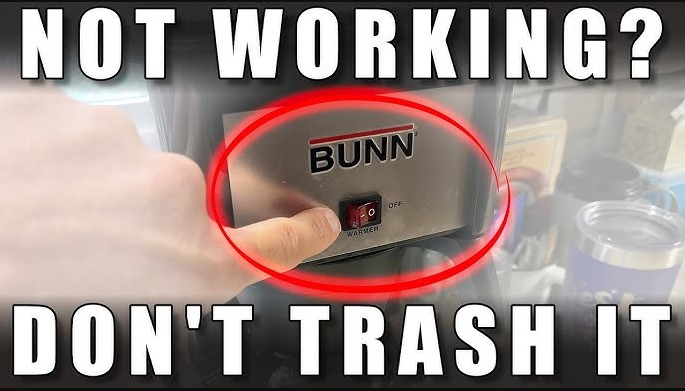
If your Bunn coffee maker warmer switch not working, don’t panic. Most issues stem from simple electrical faults, loose connections, or a blown thermal fuse that can be fixed with basic tools. This guide will walk you through safe diagnostic steps to restore your morning caffeine ritual.
There is nothing quite as disappointing as waking up on a crisp morning, eager for that first steaming cup of coffee, only to find your pot stone cold. You press the switch, you hear the familiar hum, but the warmer plate stays icy.
If you are dealing with a Bunn coffee maker warmer switch not working, you are certainly not alone. As we navigate through 2026, these machines remain workhorses in our kitchens, but like any mechanical device, they eventually require a little bit of tender loving care.
The good news is that Bunn coffee makers are designed with a level of modularity that makes them surprisingly repair-friendly. Instead of tossing a perfectly good machine into the landfill, you can often fix the issue in an afternoon with nothing more than a screwdriver and perhaps a replacement switch. Let’s dive into how you can troubleshoot and resolve this common kitchen appliance headache.
Key Takeaways
- Safety First: Always unplug your Bunn machine before attempting any internal diagnostics or repairs.
- Common Culprits: A Bunn coffee maker warmer switch not working is often caused by a faulty rocker switch, a burnt-out heating element, or a tripped high-limit thermostat.
- Diagnostic Testing: Use a simple multimeter to check for continuity in your switches and wiring to pinpoint the exact failure.
- Maintenance Matters: Regularly cleaning your machine prevents mineral buildup, which can cause internal parts to overheat and fail prematurely.
- Part Replacement: Many Bunn replacement parts are standardized, making it easy to order and install a fresh switch or warmer plate at home.
Understanding How the Warmer Plate Works
To fix the problem, you first need to understand the relationship between the switch and the heater. In most standard Bunn models, the warmer plate is essentially a separate electrical circuit from the main brewing heating element. When you toggle that warmer switch, you are completing a circuit that allows electricity to flow to the warmer element under the glass decanter.
The Role of the Rocker Switch
The rocker switch on the front panel is the gatekeeper. It is a simple mechanical device that creates a physical connection when pressed. Over time, the internal contacts inside this switch can become corroded or simply wear out from the heat of the kitchen environment. If you find your Bunn coffee maker warmer switch not working, the switch itself is often the very first thing that has failed.
The Thermal Fuse and Limit Thermostat
Bunn machines are built for durability, which includes safety features like thermal fuses and high-limit thermostats. These components are designed to cut power to the heating elements if the temperature gets too high, preventing a potential fire hazard. Sometimes, these safety components trip or “blow” due to a power surge or mineral buildup, effectively cutting off power to your warmer even if the switch is in the “on” position.
Step-by-Step Diagnostic Process
Before you start taking your machine apart, perform a quick visual inspection. Check if the indicator light on the warmer switch is illuminated. If the light is on but the plate is cold, the issue is likely the heating element itself. If the light is off, the switch or the power path is the primary suspect.
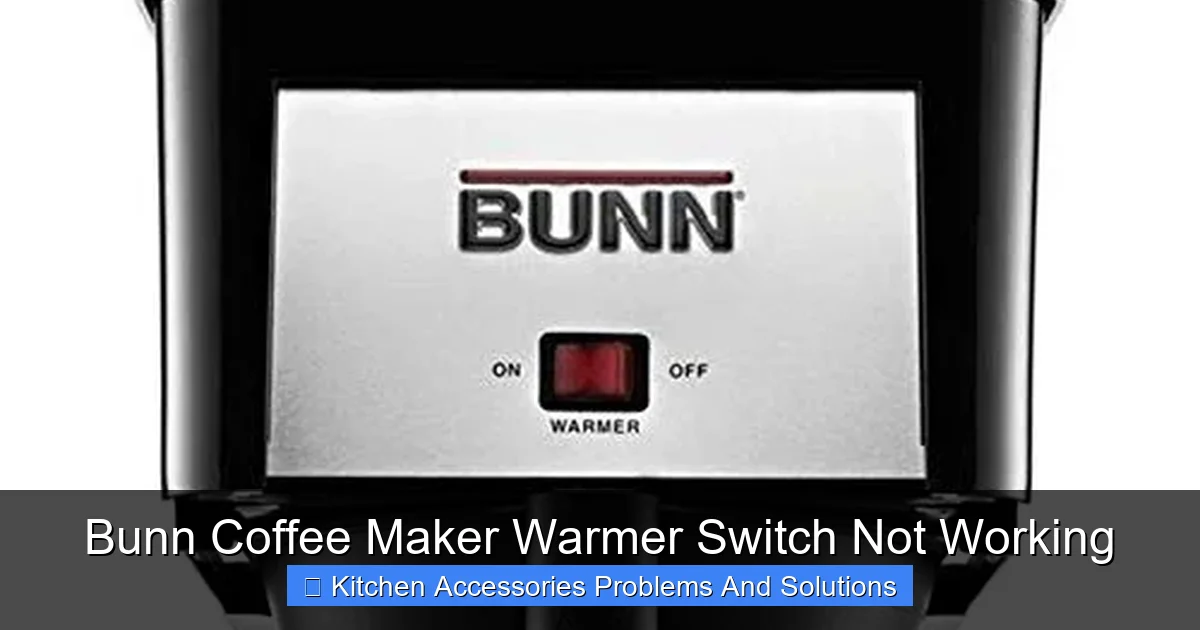
Visual guide about Bunn Coffee Maker Warmer Switch Not Working
Image source: m.media-amazon.com
Visual Checks and Power Supplies
First, ensure the power cord is firmly seated in the outlet. It sounds basic, but kitchen appliances are often bumped or moved. Next, check your home’s circuit breaker. If the machine was plugged into a GFCI outlet, that outlet may have tripped. Try plugging a different small appliance, like a hair dryer or toaster, into that same outlet to confirm it has power.
The Multimeter Method
If you have access to a multimeter, you can quickly test the electrical continuity of the warmer switch. Unplug the machine, remove the housing screws (usually located on the bottom or back), and locate the terminals on the back of the switch. Set your multimeter to the continuity setting (the tone) and test the switch while flipping it back and forth. If you don’t hear a beep when the switch is “on,” the switch is faulty and needs replacement.
Replacing the Faulty Warmer Switch
Once you have confirmed that your Bunn coffee maker warmer switch not working because the switch is defective, you need to swap it out. This is a very common repair in 2026, and parts are widely available through online retailers.
Sourcing the Correct Replacement Part
Make sure you have your exact model number handy. You can usually find this on a sticker on the bottom or back of the machine. Do not assume all Bunn switches are universal. While they look similar, the voltage ratings and terminal sizes can vary between commercial and home series brewers.
Installation Best Practices
When you install the new switch, take a photo of the old wiring configuration first. This ensures you put the wires back on the exact same terminals. Use needle-nose pliers to gently slide the wire connectors off the old switch. If the connectors feel loose, give them a tiny squeeze with the pliers to ensure a snug fit on the new switch terminals. A loose connection can cause arcing, which leads to early failure of the new part.
Cleaning and Maintenance to Prevent Future Failures
Many people find their Bunn coffee maker warmer switch not working properly simply because the internal components are coated in years of mineral deposits and coffee oils. Heat dissipation is critical for electronic components, and a dirty machine runs hotter than it should.
Managing Mineral Buildup
Hard water is the enemy of all coffee makers. Over time, lime scale accumulates inside the heating lines and around the base of the warmer plate assembly. Regularly descaling your machine with a vinegar-water solution or a specific descaling agent will keep internal temperatures regulated and prevent the safety thermostats from tripping prematurely.
The Importance of a Clean Environment
Keep the area around the warmer plate clean. If coffee spills seep into the internal housing, they can harden on the wires and switches, leading to electrical resistance and component breakdown. A simple wipe-down after every use keeps the exterior clean, but try to ensure your machine is placed on a level, dry surface away from high-moisture zones like the immediate area around your kitchen sink.
Common Challenges During DIY Repair
Repairing a coffee maker is rewarding, but it is not without its hurdles. Sometimes the internal screws are rusted or stuck, or the wiring might be shorter than you expect, making it hard to maneuver your hands inside the casing.
Dealing with Corroded Connections
If you open your machine and see green or white powdery residue on the wire connectors, you have found evidence of oxidation. This residue is a poor conductor of electricity. Use a small wire brush or a piece of fine-grit sandpaper to clean the terminals before attaching your new switch. This simple extra step ensures a long life for your repair.
When to Call a Professional
If you find that the wiring inside the machine is melted or scorched, do not attempt a simple switch replacement. This indicates a more serious electrical fault possibly a short circuit that requires an experienced technician. In 2026, many local small-appliance repair shops are still operating and can often perform a safety test for a reasonable fee.
Conclusion and Long-Term Enjoyment
A Bunn coffee maker is more than just an appliance; it is a morning ritual. Dealing with a Bunn coffee maker warmer switch not working can be frustrating, but it is also an opportunity to learn how your machine functions. By following these steps checking the power, testing the switch for continuity, and ensuring clean connections you can likely resolve the issue in less than an hour.
Remember that preventative maintenance is your best tool for long-term ownership. Keep your machine descaled, clean the exterior regularly, and treat the wiring with care. If you do happen to experience a part failure, don’t rush to the store for a new machine. With the right part and a little bit of patience, your coffee maker will be back in action, serving you hot, delicious coffee for years to come.
Frequently Asked Questions
Why is my warmer plate cold even when the switch light is on?
If the switch light is on, the switch itself is likely fine, but the heating element underneath the plate may have burned out or a wire connection has come loose. You should unplug the unit and use a multimeter to check the heating element for continuity.
How do I know which replacement switch to buy?
Always check the model number on the bottom of your Bunn coffee maker. Search for that model number combined with “warmer switch replacement” on official parts websites to ensure you get the exact voltage and physical size required for your specific unit.
Is it safe to leave my Bunn coffee maker on all day?
While Bunn machines are built to be left on, leaving the warmer plate running for extended periods can cause coffee to evaporate and burn, and it unnecessarily wears out the heating element. It is best practice to turn off the warmer switch once the decanter is empty.
Can mineral buildup cause the warmer switch to fail?
Yes, excessive mineral buildup can cause the machine to overheat, which may trip the thermal safety fuse. If this fuse blows, it will cut power to the warmer plate regardless of whether the switch is in the “on” position.
Do I need specialized tools to fix my coffee maker?
Most repairs only require basic household tools like a Phillips-head screwdriver, needle-nose pliers, and perhaps a basic multimeter. You do not need professional-grade electrical equipment for simple switch or component swaps.
How often should I descale my machine to prevent these issues?
If you live in an area with hard water, you should descale your coffee maker every 1 to 3 months. This prevents mineral deposits from insulating components or triggering the high-limit safety thermostats, keeping your machine running efficiently.