
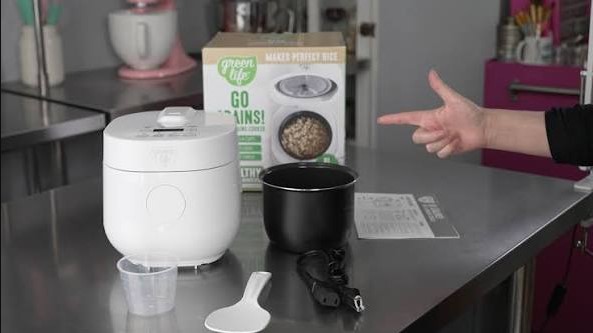
If you are frustrated because your Green Life rice cooker buttons are not working, do not worry. Most issues stem from moisture buildup, debris, or simple electrical resets that you can fix in minutes right at home.
There is nothing quite like the smell of fluffy, perfectly cooked rice waiting for you after a long day. It is the ultimate kitchen comfort. But, imagine walking into your kitchen in 2026, ready to start dinner, only to find that your reliable Green Life rice cooker buttons not working. You press the “Cook” button, and nothing happens. No beep, no light, just silence. It is a frustrating experience that can derail your entire meal plan.
Before you decide to toss the machine or spend a fortune on a new one, take a deep breath. Many times, these modern kitchen gadgets run into small technical snags that are very easy to solve. Whether it is a bit of spilled rice water, a tiny piece of debris, or just a confused digital sensor, you have more power to fix it than you might think. Let us walk through the most common causes and simple solutions for your unresponsive rice cooker.
Key Takeaways
- Moisture Issues: Liquid or steam trapped under the control panel is the most common reason your Green Life rice cooker buttons not working.
- Power Cycles: Performing a hard reset by unplugging the unit for ten minutes can often clear minor logic glitches in the digital display.
- Cleanliness Matters: Food residue or oils on your fingers can interfere with capacitive touch sensors, causing buttons to become unresponsive.
- Safety First: Never submerge the base unit in water or attempt to disassemble internal wiring if the device is still under warranty.
- Check the Outlet: Sometimes the problem isn’t the cooker, but a tripped GFCI outlet or a loose connection that prevents power from reaching the brain of the machine.
- Professional Repair: If buttons remain unresponsive after a thorough cleaning and reset, it may indicate a fried control board requiring a replacement unit.
Understanding Why Your Rice Cooker Becomes Unresponsive
Modern rice cookers have moved far beyond the simple flip-switch of the past. Today’s models, including the popular Green Life series, often use capacitive touch panels or sensitive membrane buttons. While these look sleek and modern, they are more sensitive to their environment than old-school mechanical buttons.
The Role of Moisture and Steam
The biggest enemy of any electronic kitchen tool is moisture. If your Green Life rice cooker buttons not working, it is highly likely that steam from a previous cooking cycle has seeped behind the control panel. When condensation gathers inside the electrical housing, it can create a “short” that makes the machine think a button is being held down, or conversely, prevents it from registering a new press.
To test this, ensure the area around the buttons is completely dry. If you have been cooking with high steam, let the machine sit unplugged in a dry, well-ventilated area for at least two hours. Often, as the moisture evaporates, the buttons will return to their normal function without any further intervention.
Capacitive Touch vs. Physical Buttons
Most 2026 Green Life models utilize capacitive touch technology. This relies on the natural electrical charge in your fingertips to activate the command. If your hands are greasy, damp, or covered in flour, the sensor might not register your touch. This is a common and easily overlooked issue. Simply wiping your hands thoroughly and drying the control panel with a microfiber cloth often does the trick.
Step-by-Step Troubleshooting for Common Glitches
When technology stops behaving, the first rule is always the same: turn it off and turn it back on again. It sounds simple, but a hard reset is often enough to clear the temporary errors in the internal processor of your rice cooker.
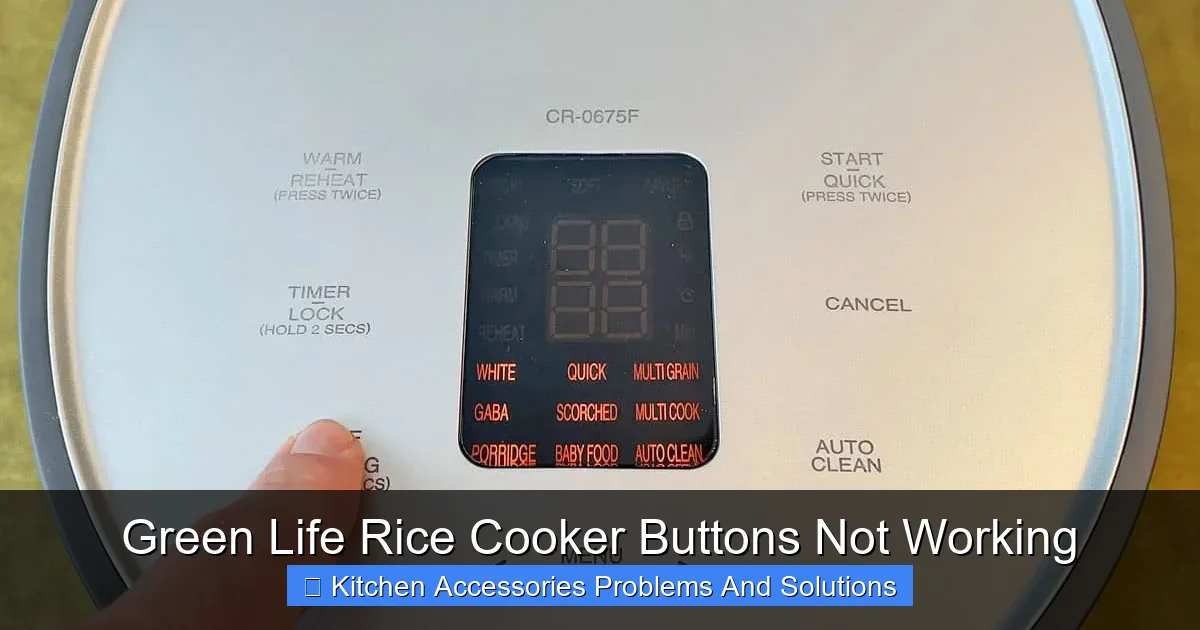
Visual guide about Green Life Rice Cooker Buttons Not Working
Image source: prudentreviews.com
Performing a Hard Reset
If you notice your Green Life rice cooker buttons not working, start by unplugging the unit directly from the wall outlet. Do not just turn it off; pull the plug. Let the unit sit completely disconnected for ten to fifteen minutes. This allows the internal capacitors to fully discharge. When you plug it back in, the system will perform a fresh boot-up, which can clear out minor software hiccups.
Checking the Power Supply
It is easy to assume the cooker is broken, but sometimes the kitchen itself is the culprit. Check the outlet you are using. If it is a GFCI outlet near your sink, it might have tripped. Try plugging a different appliance like a toaster or a blender into that same outlet. If that appliance also fails to turn on, you know you have an electrical issue, not a rice cooker issue. Reset your kitchen breaker or GFCI button and try your cooker again.
Cleaning Tips to Restore Button Sensitivity
A buildup of grime, cooking oil, or fine dust can create a layer over your control panel that acts like an insulator. This prevents your finger from making proper contact with the sensors. Regular maintenance is key to keeping your Green Life rice cooker in peak condition.
The Right Way to Clean Your Panel
Never spray cleaner directly onto the control panel. Instead, lightly dampen a soft, lint-free cloth with a mixture of water and a tiny drop of mild dish soap. Wipe the buttons gently. Follow this with a dry cloth to ensure no water is left behind. Avoid using abrasive sponges, as these can scratch the protective plastic overlay and damage the sensitive electronics underneath.
Addressing Hidden Debris
Sometimes, a stray grain of rice or a tiny crumb can get stuck in the seam between the button panel and the body of the cooker. This can physically prevent the button from depressing or interfere with the touch sensor. Use a clean, dry, soft-bristled brush like a new toothbrush or a specialized keyboard brush to gently clear out any debris from the edges of the display area.
When to Consider Internal Damage?
If you have tried resetting, drying, and cleaning, and you still find your Green Life rice cooker buttons not working, there might be a deeper hardware issue. Electronic appliances have internal wiring that can degrade over time, especially if the unit is kept near high-heat surfaces or in areas with high humidity.
Signs of a Fried Control Board
If the display flickers, shows an error code, or simply remains completely black despite being plugged into a working outlet, the main control board may have failed. This is common if the unit has suffered a power surge or if water managed to bypass the seal and reach the interior components. At this stage, it is safer to contact the manufacturer’s support team rather than opening the unit yourself.
Warranty and Replacement Options
Before you get discouraged, check the status of your warranty. Many Green Life products in 2026 come with generous coverage periods. Have your model number and purchase receipt ready when you contact customer service. They can often provide specific repair instructions or guide you through the process of obtaining a replacement if the internal board is indeed faulty.
Maintaining Your Rice Cooker for Future Use
Once you get your buttons working again, you will want to make sure they stay that way. The longevity of your rice cooker is directly tied to how you care for it on a daily basis. By following a few simple habits, you can avoid the headache of unresponsive controls in the future.
Protecting the Electronics
Position your rice cooker away from areas where steam vents directly onto the control panel. If you have the space, try to keep the unit a few inches away from walls or cabinets where steam could bounce back onto the face of the machine. Consider placing a small fan nearby if you cook in a small, enclosed kitchen to help disperse excess moisture.
Developing a Routine
Get into the habit of wiping down the exterior of your cooker with a dry cloth after every use. This prevents the accumulation of cooking fats and oils that can eventually seep into the seams of the buttons. Treating your rice cooker like a sensitive piece of electronics, rather than just a heavy-duty pot, will significantly extend its lifespan.
Final Thoughts on Troubleshooting
Seeing your Green Life rice cooker buttons not working can be a stressful moment, especially when you are hungry. However, as we have explored, most of these issues are easily managed with a bit of patience and the right cleaning techniques. By isolating the problem, resetting the power, and keeping the control panel clean, you can usually restore your cooker to perfect working order.
If the problem persists, do not feel bad about reaching out for professional help. Modern appliances are complex machines, and sometimes a part just wears out. But for the vast majority of cases, a little troubleshooting is all it takes to get back to enjoying your favorite rice dishes. Keep these tips handy, and you will be back to cooking in no time!
Frequently Asked Questions
Why is my rice cooker display on but the buttons won’t respond?
If the display is lit, the unit has power, but the touch sensors may be blocked by moisture or a thin film of oil. Try cleaning the panel with a dry microfiber cloth and ensuring your fingers are completely dry before pressing the buttons.
Can I use a hairdryer to fix a wet control panel?
While you can use a hairdryer, it must be on the lowest, coolest setting possible. Intense heat can melt the plastic membrane or damage internal glue, so it is safer to let the unit air-dry for a few hours instead.
What does it mean if my rice cooker shows an error code?
An error code usually indicates a communication failure between the sensors and the control board. Check your user manual, as specific codes often tell you if there is a sensor failure or a thermal safety trip that needs a professional reset.
Should I open the rice cooker to fix the buttons myself?
No, you should avoid opening the base of the rice cooker, especially if it is under warranty. This can cause permanent damage, create a fire hazard, or void your manufacturer support options.
Is it safe to keep using a rice cooker that has intermittent button issues?
It is not recommended to continue using an appliance with faulty electrical components. Intermittent buttons can suggest a loose connection or moisture inside the casing, which could lead to a short circuit or safety hazard over time.
How often should I clean the control panel to prevent issues?
You should wipe down the exterior and the control panel after every use once the unit has cooled down. This prevents the buildup of kitchen grease and food residue that commonly interferes with sensitive touch-sensitive buttons.