
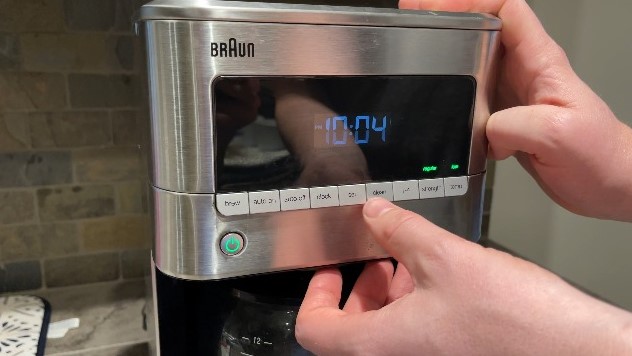
If you find your Braun coffee maker buttons not working, don’t panic. Most issues are caused by moisture buildup, simple power glitches, or accumulation of oils that can be solved with a quick reset or a thorough cleaning.
There is nothing quite as disappointing as waking up on a Tuesday morning, ready for that first fragrant cup of joe, only to find your machine is unresponsive. If you are currently dealing with a Braun coffee maker buttons not working, you are definitely not alone. It is a common frustration for many coffee lovers in 2026, but the good news is that these sleek machines are often more resilient than they appear.
Before you consider heading to the store for a expensive replacement, take a deep breath. Most issues involving electronic control panels are minor. Whether it is a kitchen mishap involving spilled milk or just a digital hiccup in the machine’s memory, we are going to walk through the steps to get your brewer back in action. Let’s dive into the world of home barista troubleshooting together.
Key Takeaways
- Power Cycles: Often, a simple unplugging and replugging of your device can resolve internal software glitches causing unresponsive controls.
- Moisture Issues: Liquid ingress near the control panel is the leading cause of Braun coffee maker buttons not working correctly.
- Deep Cleaning: Accumulated coffee oils and grime can jam the buttons; cleaning the keypad with specialized tools is a common fix.
- Hard Resets: Understanding how to perform a factory reset can clear electronic bugs that stop buttons from responding.
- Internal Damage: If troubleshooting fails, the ribbon cable connection might be loose or damaged, requiring a professional inspection.
Understanding the Basics of Your Control Panel
The control panel on your Braun coffee maker is essentially the brain of the operation. It communicates with the heater, the pump, and the clock. When you find your Braun coffee maker buttons not working, it is usually because the connection between your finger’s pressure and the digital processor has been interrupted.
Why Digital Buttons Fail
Modern coffee makers use membrane-style buttons. These are thin layers of plastic with conductive contact points underneath. Over time, moisture from steam or accidental splashes can seep into the edges of the panel. This creates a bridge of minerals or oils that confuses the circuit board, leading to unresponsive inputs.
The Impact of Humidity
Living in a humid environment or placing your coffee maker directly under a kitchen cabinet can accelerate button decay. Steam rises when the machine brews, and if that steam settles on the control board, it can cause short circuits. Always try to keep your machine in a well-ventilated area to protect the electronics.
Step 1: The Universal Troubleshooting Reset
The first thing any technician will tell you is to try a hard reset. Electronics often get stuck in a loop, and simply turning the machine off at the button might not be enough if the button itself is the problem. You need to cut the power completely.
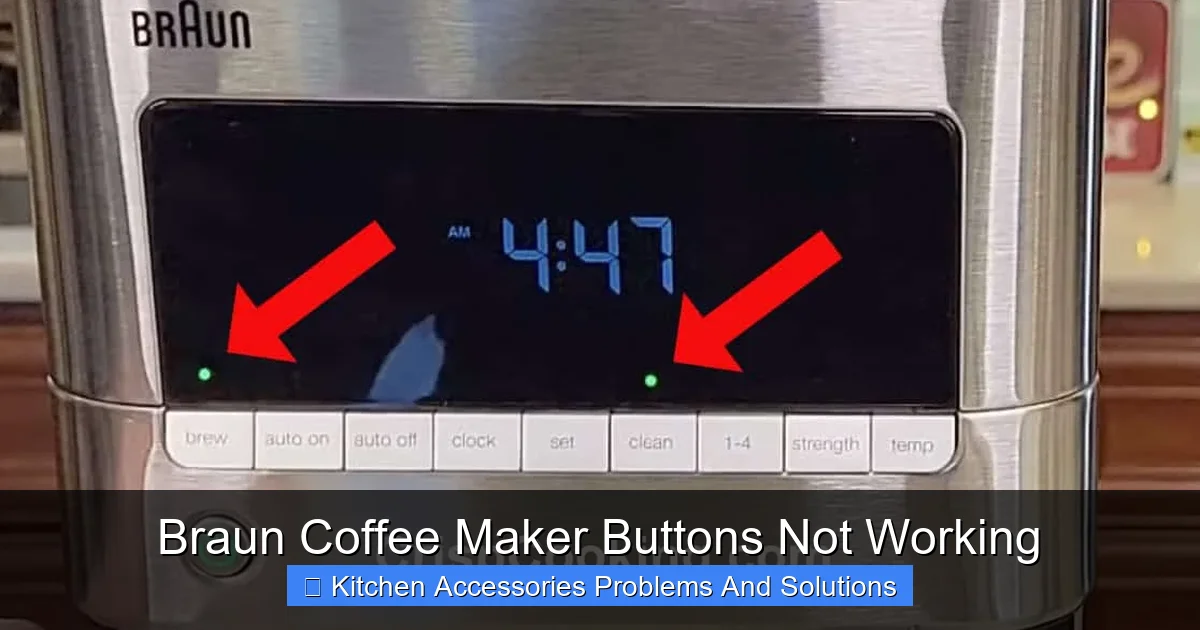
Visual guide about Braun Coffee Maker Buttons Not Working
Image source: crispcooking.com
Performing a Power Cycle
Unplug the power cord from the wall outlet. Leave the machine unplugged for at least 15 to 20 minutes. This allows the internal capacitors to discharge completely, clearing any temporary errors in the memory. After waiting, plug it back in firmly. Often, this is all it takes to see those lights flicker back to life.
Checking the Power Source
It sounds simple, but check your outlet. If your Braun coffee maker buttons not working, ensure the outlet itself has power. Try plugging a lamp into the same spot. If the lamp doesn’t turn on, you might just have a tripped circuit breaker in your home, not a broken coffee maker.
Step 2: Cleaning and Maintenance Tips
Coffee is sticky, oily, and persistent. If you brew every day, those tiny particles of coffee dust and moisture find their way into the crevices of your buttons. When a button stops clicking, it is often held in place by dried oils.
The Gentle Cleaning Method
Use a clean, slightly damp microfiber cloth to wipe the control panel. Do not use harsh chemicals or excessive water. For the buttons themselves, a soft-bristled toothbrush can work wonders. Gently scrub around the edges of the buttons to remove any crusty residue that might be physically preventing the button from making contact with the sensor beneath.
Avoiding Liquid Damage
Never spray cleaner directly onto the coffee maker. Spray the cloth first, then wipe. If you think liquid has already gotten inside, you can use a hairdryer on the “cool” or “low” setting to gently blow air over the buttons to evaporate any trapped moisture.
Step 3: Addressing Internal Ribbon Cable Issues
If you have tried cleaning and resetting and your Braun coffee maker buttons not working still, the problem might be deeper. Inside the machine, the control panel is connected to the main circuit board via a ribbon cable. Through years of thermal expansion and contraction, this cable can sometimes work itself loose.
When to Open the Case
If your machine is out of warranty, you might feel comfortable unscrewing the back casing. Be warned: this should only be done if you are comfortable with electronics. Once the cover is off, look for the thin, flat, multi-colored cable connecting the buttons to the main board. Ensure it is pushed firmly into its socket.
Safety First
Always ensure the machine is completely unplugged before opening any panels. Never attempt to poke around with metal tools while the device is plugged in, as internal components can hold a charge even when the unit is off.
Step 4: Recognizing When to Call a Pro
There is a fine line between a DIY fix and causing more damage. If you have done the reset, cleaned the exterior, and inspected the internal wiring without success, the issue is likely a faulty control board. This is a common point of failure for many appliances.
Warranty Considerations
In 2026, many Braun models come with extended warranties if registered online. Check your manual or the Braun website. If you are still within your warranty period, do not open the case! Doing so will void your warranty immediately. Contact customer support; they are usually very helpful with repair or replacement services.
Evaluating Repair Costs
Sometimes, the cost of a new control board and the labor involved is nearly as much as a new machine. Be realistic about the value of your specific model. If your coffee maker is five or six years old, it might be time to upgrade to a newer, more efficient model.
Prevention: Keeping Your Buttons Working Longer
The best way to handle a Braun coffee maker buttons not working is to prevent the issue before it starts. Small habits lead to a longer machine lifespan.
Proper Positioning
Try not to keep your machine directly under your cabinets. The steam that rises from the carafe during the brewing process flows right up into the control panel. Moving the machine a few inches to the side or into an open space can significantly reduce moisture buildup on the electronic components.
Regular Exterior Wipe-Downs
Make it a habit to wipe down the button area once a week with a dry cloth. This prevents the buildup of oils from your hands and coffee splashes. It takes five seconds but saves you hours of troubleshooting later.
In conclusion, when you face a Braun coffee maker buttons not working, stay calm and go through these steps systematically. Start with a power reset, clean the exterior with care, and investigate the connections only if you feel confident.
Most of the time, your morning coffee routine will be back on track before you know it. If you have exhausted these steps, do not hesitate to contact professional repair services to ensure your machine receives the expert care it needs.
Frequently Asked Questions
Why are my Braun coffee maker buttons not responding?
This is often caused by moisture buildup or debris around the button edges that prevents them from engaging. It can also be a simple software glitch that requires a full power cycle to resolve.
How do I reset my Braun coffee maker?
To reset your machine, unplug it from the wall outlet completely and leave it disconnected for at least 20 minutes. This allows the internal memory to clear and resets the control board.
Can I use water to clean the buttons?
You should never spray water directly onto the buttons as it can seep into the circuits and cause more damage. Use a lightly dampened microfiber cloth to wipe the surface and a dry, soft toothbrush to clear debris.
Is it safe to open the coffee maker?
Only open the unit if it is out of warranty and you are comfortable working with electronics. Always ensure the device is unplugged before touching any internal parts, and be aware that opening the machine voids any remaining warranty.
Could steam affect my coffee maker buttons?
Yes, steam is a leading cause of unresponsive buttons. Frequent exposure to rising steam can lead to moisture condensation inside the control panel, which may cause short circuits over time.
Should I replace or repair my Braun coffee maker?
If the machine is under warranty, contact Braun for a repair or replacement. If it is old and the repair costs exceed the price of a new unit, replacing it is often the more cost-effective and practical choice.