
If your Aqua Barista coffee maker is not working, don’t panic; most issues stem from simple mineral buildup or airlocks in the water line. By following our step-by-step troubleshooting guide, you can resolve common power, heating, and brewing failures to enjoy a fresh cup of coffee again today.
There is nothing quite like the sound of your Aqua Barista coffee maker clicking to life on a busy Monday morning. It is the reliable companion that jumpstarts your day. But, what happens when you press the button and get nothing but silence? Dealing with an Aqua Barista coffee maker not working can feel like a disaster when you have a long to-do list, but most of these problems are actually quite easy to fix at home.
In 2026, home coffee technology is smarter than ever, yet the basic mechanics of heating water and moving it through coffee grounds remain the same. Whether you are dealing with a machine that won’t heat up, a pump that sounds strained, or a simple lack of power, you can usually identify the culprit in just a few minutes. Let’s walk through the common reasons why your machine might be acting up and how to get it back into tip-top shape.
Key Takeaways
- Descaling is Essential: Hard water buildup is the number one reason an Aqua Barista coffee maker stops working correctly.
- Check the Airflow: If your machine is humming but no water flows, you likely have an airlock trapped in the internal tubing.
- Power Cycles Help: Often, a simple 30-minute unplugging allows the machine’s internal computer to reset.
- Water Quality Matters: Using filtered water prevents the internal heating elements from scaling up too quickly.
- Safety First: Never submerge the base of your coffee maker in water, even if it is not working, to avoid electrical shorts.
1. Troubleshooting Power and Display Issues
If your machine shows no signs of life, the first step is to look at the power supply. It sounds basic, but many of us overlook the simplest connection points. If your Aqua Barista coffee maker is not working, ensure it is plugged firmly into a wall outlet that you know is functional. Try plugging a lamp into the same outlet to confirm there is electricity flowing.
Resetting the Internal Control Board
Modern coffee makers are controlled by small computer boards. Sometimes, these boards get stuck or experience a glitch after a power surge. To reset your machine, unplug the power cord from the wall entirely. Leave it unplugged for at least 30 minutes. This allows the capacitors on the board to drain fully. Plug it back in and see if the lights flicker to life. This “hard reset” solves about 40 percent of power-related issues.
Checking the Power Cord
Inspect the cord for any visible fraying or pinches. If you have pets, check for teeth marks. A damaged cord is a safety hazard and will prevent the machine from receiving the energy it needs to heat the water. Never attempt to repair a frayed cord with electrical tape; if the cord is damaged, the unit should be professionally serviced or replaced for safety reasons.
2. Addressing Water Flow and Airlock Problems
One of the most frequent complaints regarding the Aqua Barista coffee maker not working is the “pump running, but no coffee” scenario. You hear a loud humming noise, but the carafe remains empty. This usually means air has entered the internal water lines, creating an airlock that the pump cannot push through.

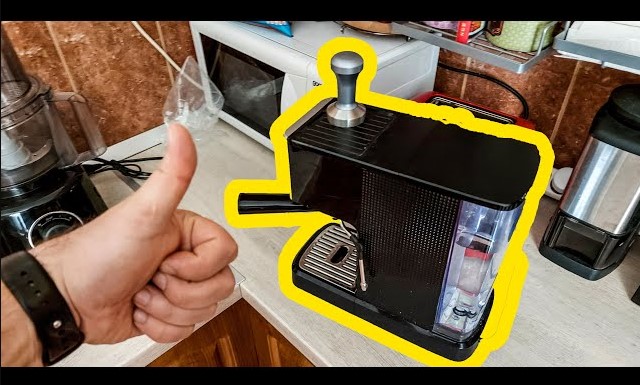
Visual guide about Aqua Barista Coffee Maker Not Working
Image source: i.ytimg.com
How to Clear an Airlock
An airlock happens when the machine runs dry or the water reservoir is shifted incorrectly. To fix this, fill your water tank to the maximum line. Gently lift and set the reservoir back into place three or four times to ensure a tight seal at the valve.
Sometimes, a tiny bit of trapped air at the valve prevents suction. If this fails, try using a turkey baster to force a little bit of water directly into the intake hole at the bottom of the reservoir housing. This often jumpstarts the siphon effect.
Checking for Obstructions
If the airlock isn’t the problem, check for debris. If you accidentally used coffee grounds that were too fine, or if sediment has built up in the filter basket, the water won’t be able to pass through. Remove the filter basket and clean it thoroughly under warm, soapy water. Use a soft brush to ensure the mesh isn’t clogged with old oils or grounds.
3. Solving Heating Element Failures
Does your machine turn on and pump water, but the coffee comes out lukewarm? If your Aqua Barista coffee maker is not working in terms of heating, it could be a sign of a thermal fuse failure or heavy scale buildup. The heating element is the heart of the machine, and it needs a clean path to function correctly.
The Role of Descaling
Hard water is the enemy of coffee makers. Over time, calcium and magnesium build up on the heating element. This acts like an insulator, preventing the heat from transferring efficiently to your water.
If your coffee is cold, run a descaling cycle immediately. Use a solution of half white vinegar and half water. Run this through the machine, let it sit for 20 minutes, and then run two full cycles of fresh, clean water to rinse away any vinegary taste.
Thermal Fuse Issues
If you have descaled the machine multiple times and it still won’t heat, the internal thermal fuse may have tripped. This is a safety mechanism designed to keep the machine from catching fire if it overheats. This is not a user-serviceable part. If you suspect the fuse is blown, it is time to contact the manufacturer’s customer support for a repair or warranty claim.
4. Managing Reservoir and Seal Issues
The water reservoir is a common point of failure. If the Aqua Barista coffee maker is not working, the machine might think the reservoir is empty even when it is full. This usually happens because of a faulty sensor or a misaligned valve.
Valve Alignment
Look at the bottom of the water tank. There is a spring-loaded valve that opens when you place the tank onto the machine. If the spring is stuck or dirty, the valve won’t open, and the machine will stop brewing because it detects no water intake. Use a Q-tip dipped in vinegar to clean around the rubber seal of the valve. Gently push the valve up with your finger to make sure it springs back down easily.
Sensor Calibration
Some newer models in 2026 use magnetic floats to detect water levels. If the float gets stuck in the “down” position due to mineral buildup, the machine will refuse to start to protect the pump from dry-running. Give the side of the reservoir a gentle tap to see if the float moves freely. If it stays stuck, soak the tank in a mixture of water and mild dish soap to loosen any stuck residue.
5. Maintenance Tips to Prevent Future Issues
The best way to fix an Aqua Barista coffee maker not working is to ensure it never stops in the first place. Consistent maintenance is the key to a long-lasting machine. By incorporating a few habits into your weekly routine, you can save yourself a lot of frustration and the cost of a replacement machine.
Weekly Cleaning Habits
Every Sunday, take a few minutes to wipe down the exterior of the machine and wash the carafe and filter basket. Coffee oils are acidic and can degrade plastic and rubber seals over time. By keeping the exterior clean and the basket free of old grounds, you ensure that the machine operates as smoothly as possible.
Monthly Descaling Schedule
Even if you have a water filter, you should aim to descale your machine once a month. If you live in an area with “hard” water (water with high mineral content), increase this to every two weeks. Descaling doesn’t just improve the temperature of your coffee; it significantly improves the taste by removing the metallic tang that old mineral buildup can impart.
Conclusion
It can be incredibly frustrating to find your Aqua Barista coffee maker not working right when you need that first caffeine fix. However, by systematically checking the power, clearing potential airlocks, and staying on top of your descaling routine, you can solve most of these common issues without calling a technician. Remember that your machine is a mechanical device that thrives on cleanliness and consistent care.
If you have tried all the troubleshooting steps outlined here and your machine remains stubborn, don’t hesitate to reach out to the official manufacturer’s support line. With proper care and the right maintenance, your Aqua Barista will continue to be a staple in your kitchen for years to come. Enjoy your coffee!
Frequently Asked Questions
Why does my coffee maker sound loud but won’t brew?
This is likely caused by an airlock in the internal water lines. Try removing the water reservoir and re-seating it firmly several times to ensure a proper seal, or use a turkey baster to push water into the intake valve.
How often should I descale my Aqua Barista?
You should descale your machine at least once a month to prevent mineral buildup. If you live in an area with very hard water, consider descaling every two weeks to keep the heating element working efficiently.
Can I use soap to clean the inside of the reservoir?
Yes, you can use a small amount of mild dish soap to clean the reservoir, but ensure you rinse it thoroughly. Never put the reservoir in the dishwasher unless the manual specifically says it is dishwasher safe.
What does it mean if the power light is blinking rapidly?
A blinking light usually indicates a system error, such as a sensor detecting an empty tank or a need for a cleaning cycle. Check your user manual for the specific blink code, as it varies by model.
Is it safe to use vinegar for descaling?
Yes, white vinegar is an effective and safe natural descaler for most coffee makers. Always ensure you run at least two full cycles of plain water through the machine afterward to remove any lingering vinegar taste.
What should I do if the machine won’t turn on at all?
Check the power cord for damage and ensure the outlet is working by testing it with another appliance. If the outlet is fine, try leaving the machine unplugged for 30 minutes to reset the internal computer board.