
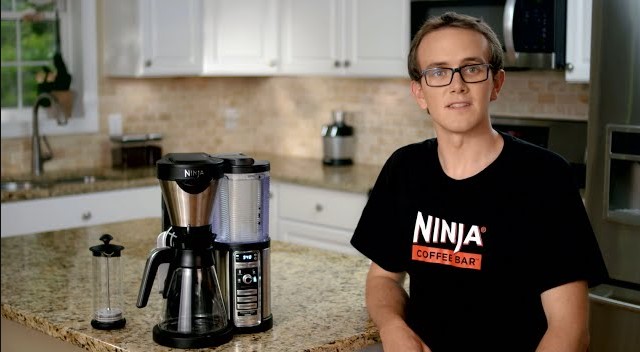
If your Ninja coffee maker buttons are not working, don’t panic – it is often a simple fix. Most unresponsive control panels are caused by moisture buildup, power glitches, or a need for a hard reset. By following our step-by-step guide, you can troubleshoot the most common issues and get your machine running perfectly again today.
There is nothing quite as frustrating as waking up, craving that first delicious cup of coffee, and walking into the kitchen only to find your Ninja coffee maker buttons not working. We rely on our appliances to be consistent, but technology can be finicky. In 2026, as our kitchens become smarter and more integrated, a malfunctioning coffee maker can feel like a major roadblock to a productive morning.
Before you decide to toss your machine out or spend hundreds on a brand-new model, take a breath. Most of the time, when you find your Ninja coffee maker buttons not working, it is a minor glitch that you can resolve in your own kitchen without any special tools. Whether it is a software hiccup, a bit of spilled espresso, or just a power issue, we are going to walk through the process of getting your machine back to brewing in no time.
Key Takeaways
- Power Cycle First: Always unplug your machine for at least 15 minutes to reset the internal computer before assuming a hardware failure.
- Moisture is the Enemy: Steam and humidity are the leading causes of unresponsive buttons; ensure your control panel stays dry and clean.
- Check for Stuck Buttons: Coffee spills or sugar buildup can physically jam buttons, preventing them from registering a click.
- Error Code Awareness: Many “broken” buttons are actually just active error signals that prevent the machine from starting.
- Outlet Troubleshooting: Sometimes the issue is not the machine, but a tripped GFCI outlet or a faulty power source in your kitchen.
- Cleaning Matters: Regular descaling prevents internal sensor malfunctions that can make the interface seem unresponsive.
The Basics: Power and Connectivity Issues
When you notice your Ninja coffee maker buttons not working, the very first place to look is the power supply. It sounds simple, but you would be surprised how often a loose cord is the culprit. Sometimes, appliances that draw high wattage, like coffee makers, can trip a breaker or a GFCI outlet without you realizing it.
Checking Your Power Source
Start by unplugging the unit entirely. Go to your electrical panel and check to see if the kitchen circuit breaker has tripped. If you are using a GFCI outlet the kind with the “Test” and “Reset” buttons make sure it has not popped. If the outlet is fine, check the cord itself for any signs of fraying or damage.
Once you have confirmed the outlet works with another appliance, plug your Ninja back in directly to the wall rather than a power strip or extension cord, which can sometimes limit the voltage reaching the machine.
The Hard Reset Procedure
If the lights are on but the buttons are unresponsive, your machine might just be “stuck” in a digital loop. Computers inside modern coffee makers need a clean slate once in a while. Unplug the machine from the wall and leave it unplugged for at least 15 to 20 minutes. This allows the internal capacitors to discharge completely. After the wait, plug it back in and try the buttons again. This “reboot” fixes about 50% of interface issues.
Addressing Moisture and Debris
Ninja coffee makers are designed to live in kitchens, which means they are exposed to steam, heat, and splashes of coffee. Over time, these elements can settle into the seams of your control panel. If your Ninja coffee maker buttons not working is due to sticky residue or moisture, you need to clean the surface carefully.
Visual guide about Ninja Coffee Maker Buttons Not Working
Image source: missvickie.com
Cleaning the Control Panel
If you see any visible sugar or coffee residue around the buttons, it is likely jamming the mechanism. Use a slightly damp not dripping wet microfiber cloth to wipe down the panel. For tougher spots, a cotton swab dipped in a very small amount of rubbing alcohol can work wonders. Be extremely careful not to let any liquid drip inside the machine, as this can damage the sensitive electronics behind the buttons.
Dealing with Steam Damage
If you keep your coffee maker directly under your upper cabinets, you might be subjecting it to excessive steam. Every time the machine brews, hot vapor rises and settles on the control panel.
Over months, this creates condensation that can cause the buttons to become unresponsive. Consider moving your machine to a spot with better ventilation or pulling it forward away from the cabinets while it brews to prevent the buttons from failing.
Understanding Error Codes and Indicators
Sometimes, the buttons are not actually broken; they are just disabled because the machine is in an “error state.” If your Ninja coffee maker buttons not working involves the lights flashing in a specific pattern, you are likely looking at an error code. These are communication signals from the machine telling you that something is missing or out of place.
Common Error Indicators
Check the water reservoir first. If it is not seated perfectly in the base, the machine will not allow you to select a brew size. Similarly, if the brew basket is not pushed all the way in or if the drip stop is in the wrong position, the electronics will lock the start button to prevent a mess. Look at the display to see if there is a flashing light near the “add water” or “drip stop” icon.
The Descaling Need
If your machine is clogged with mineral buildup, it might refuse to start a brew cycle. Some newer Ninja models are smart enough to detect a lack of water flow and will disable the buttons to prevent the pump from burning out. If you haven’t descaled your machine in the last few months, this could be the reason for your unresponsive controls. Run a descaling cycle with a mixture of vinegar and water to clear the internal lines.
Physical Wear and Tear
If you have had your Ninja for several years, there is a possibility that the physical button contacts have simply worn out. Like any electronic device, buttons have a lifespan measured in clicks. If you find your Ninja coffee maker buttons not working in a specific area for example, only the “Classic Brew” button is dead – it points to a mechanical failure rather than a system-wide software glitch.
Assessing Button Sensitivity
Try pressing the button at different angles. Sometimes, the rubber membrane behind the button gets slightly misaligned. If you have to press very hard or in a specific corner to get a response, you are likely dealing with a physical hardware limitation. While this is less common with high-end Ninja models, heavy daily use over several years can take its toll.
When to Consider Professional Repair
If you have tried the reset, cleaned the panel, and verified the power, but specific buttons still refuse to respond, you might have an internal wiring issue.
At this stage, opening the unit is not recommended unless you are comfortable with electronics, as there is a risk of electric shock. Contact Ninja customer support to see if your unit is still under warranty. They are often very helpful in providing troubleshooting tips or replacement options if the unit is defective.
Best Practices for Future Prevention
Now that you have your machine working, how do you prevent the Ninja coffee maker buttons not working again in the future? Prevention is much easier than fixing a dead machine. By changing a few small habits, you can extend the life of your coffee maker by years.
Keep it Dry
Make it a rule to wipe down the front panel after every use. A simple swipe with a dry cloth prevents moisture from sitting on the buttons and potentially leaking into the circuitry. It only takes a second, but it saves your machine from long-term corrosion.
Smart Placement
As mentioned before, think about your machine’s location. If it is sitting under a cabinet, pull it out when you start a brew cycle. This simple movement prevents steam from accumulating on the control panel, which is the number one cause of “phantom button” issues in 2026 model kitchens.
Regular Maintenance Cycles
Don’t wait for the machine to stop working before you clean it. Set a calendar reminder to descale your machine every three months. Keeping the internal sensors clean and the flow unrestricted ensures that the electronics don’t have to struggle to start your morning cup of coffee.
Conclusion
Dealing with a kitchen appliance that refuses to cooperate is a minor life annoyance, but it is rarely the end of the road. When you find your Ninja coffee maker buttons not working, start with the basics: unplug, reset, and clean. Most of the time, the solution is right there at your fingertips.
By keeping your machine dry, away from extreme steam, and properly descaled, you are doing everything in your power to keep that delicious brew coming.
If you find that the issue persists after following all the troubleshooting steps, remember that there is no shame in reaching out to customer support. Your coffee is important, and with a little patience, you will be back to enjoying it in no time at all.
Frequently Asked Questions
Why is my Ninja coffee maker completely unresponsive?
A completely unresponsive Ninja coffee maker is often due to a tripped circuit breaker or a power glitch. Try unplugging the machine for 20 minutes to perform a hard reset, and ensure it is plugged directly into a wall outlet rather than a power strip.
Can steam cause my buttons to stop working?
Yes, excessive steam buildup under kitchen cabinets can introduce moisture into the control panel circuitry. This causes buttons to become sticky, ghost-press, or stop responding entirely over time.
What does it mean if my buttons are flashing?
Flashing buttons typically indicate an error code or an incomplete setup, such as the water reservoir not being seated properly. Check your user manual for the specific flashing pattern to see if your machine is waiting for you to complete a specific action.
How do I know if my buttons are physically broken?
If you have tried a hard reset and cleaning the panel but specific buttons still don’t work, the mechanical switches behind the panel may have failed. This usually happens after years of heavy use and may require professional repair or a replacement unit.
Should I use water to clean my coffee maker’s control panel?
You should never spray water directly onto the control panel. Instead, use a lightly dampened microfiber cloth to wipe the surface, and ensure it is thoroughly dried immediately afterward to prevent moisture from seeping into the machine.
Will descaling help my unresponsive buttons?
Yes, if the internal sensors detect a clog or lack of water flow, the machine may lock the buttons as a safety precaution. Performing a full descaling cycle can clear these sensors and restore normal functionality to your control panel.